The last couple of months were intense. On one hand I wanted to fulfill the feature requests I receive, on the other hand I didn’t want to go dark for too long without a new release.
The most frequent features requests were:
- Include filters
- Review the History system
- Include statement execution time
- Reduce memory consumption
Differently from what I did in the past this time I chose a larger schedule to create a new version that would address all these requirements at once.
Thus Sinática Monitor 2.0 for Firebird SQL is born.
You may download a Beta and read about what’s new.
Don’t keep from . They determine the next set of features!
Comments (1)
The Firebird Development Team released Firebird 2.1.2 this week. This sub-release focus on stability. There are no big changes, they’re all in store for Firebird 2.5, but it is important nonetheless. The list of bugs fixed is impressive.
Bugs
Among several fixes, some deserve to be highlighted:
- Error processing nulls in Check Constraints.
- False deadlock detection under load.
- Possible error when the same record is updated multiple times.
- Slow monitoring tables on ClassicServer under load.
- Stored Procedure statistics were not being computed in monitoring tables.
The last two bug-fixes directly affect Sinática Monitor users. This update is highly recommended.
Improvements
Besides the fixed bugs, a few improvements were included.
- DPB user restriction. If you connect to Firebird Server using a non-sysdba user and some special attachment parameter, check to see if it is in the restricted parameters list. It is also possible that your connectivity layer may be adding special parameter to your DPB. In these cases Firebird will reject the attachments.
- Possible to use MS C Runtime in a private folder. In the old days (2.0 and before), all you had to do to install a client was copy fbclient.dll to you application folder or the system folder. Runtime installation then became necessary starting from Firebird 2.1. This lead to client distribution problems as client installation became more complex. Firebird 2.1.2 allows you to once again deploy a client simply by copying fbclient.dll (or gds32.dll) and the appropriate runtime files.
To know more, visit the release notes.
Download Firebird 2.1.2 now!
Comments (2)
Release 1.2.03 is recommended to everyone using Sinática Monitor 1.2.
This version contains important fixes to problems found in the last couple of days.
Thanks to everyone who reported errors.
View the release notes or download now.
Comments (0)
Sinática Monitor release 1.2 is online now.
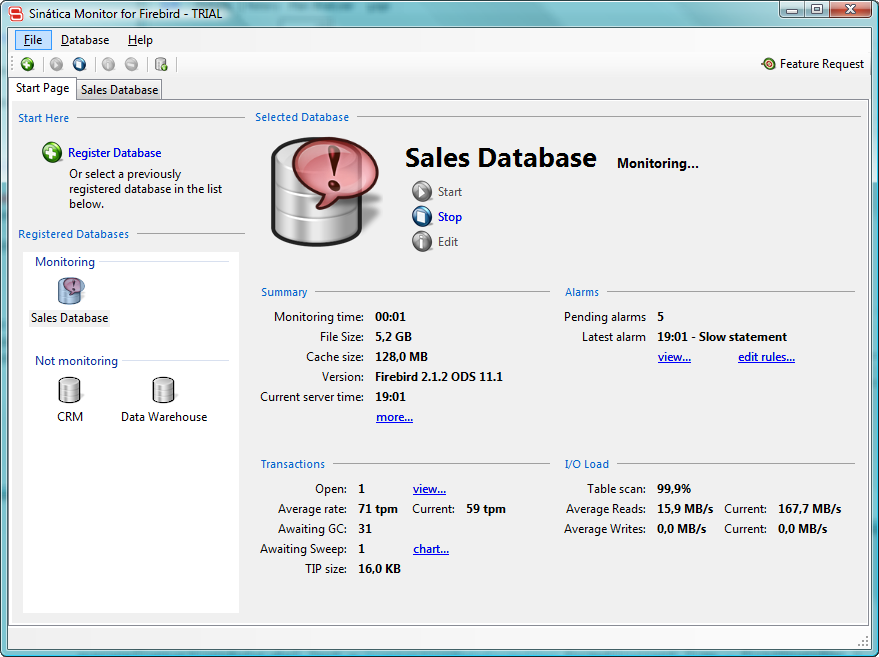
The most significant change in this version is the new main interface.
Containing the most important counters and a clear indication of pending alarms, the new user interface is a great quick overview of your databases’ health.
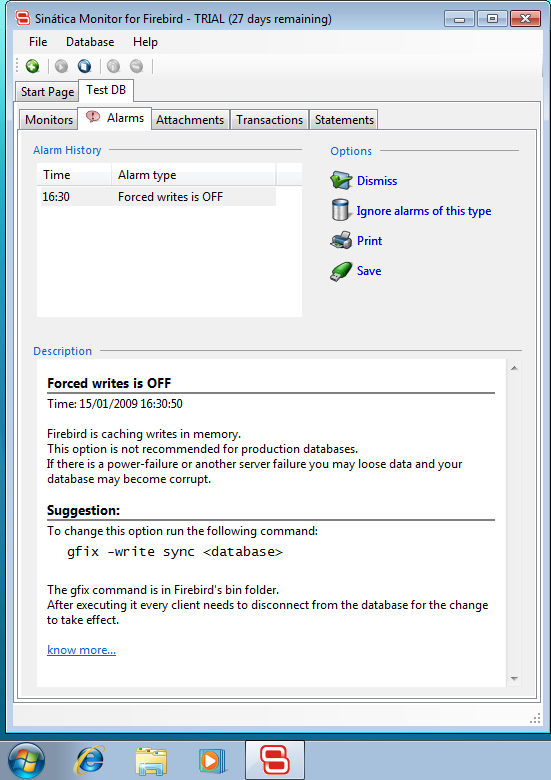
Another new feature is the Sweep Alarm. It warns you if your databases’ sweep configuration is not ideal.
You may view every improvement and fixes in the release notes.
Download Sinática Monitor 1.2 now!
Comments (0)
Starting today I’ll be tweeting some micro-news from Sinática as well as the occasional rant that you don’t find here.
See you there!
Comments (0)
Today I took some time and had a look at Windows 7 Beta. I mainly wanted to try Sinática Monitor on it.
The results are encouraging.

First I installed Windows 7 on a virtual machine using Sun Virtual Box and then installed Sinática Monitor. Everything worked right out of the box. There are still some tests to do but it graduated with honors from the first run.
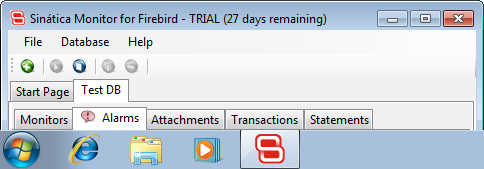
Contrary to most people I honestly have nothing to complain about Vista. But if you are only waiting Windows 7 to update that old XP, rest assured that Sinática Monitor will work fine.
Comments (0)
Last Friday I release a new version of Sinática Monitor.
Release 1.1.01 is recommended to every user, especially those still using Beta versions.
The main change you will notice is the option to minimize to the notification area.
When minimized this way, Sinatica Monitor displays new alarms as message baloons.
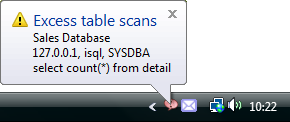
This feature was one of the most requested during Beta and is very aligned to the Sinática Monitor proposal of monitoring your database while you work on something else and alerting you only when something extraordinary happens.
Although if you prefer the previous way of minimizing, you just have to disable this option in the new User Options screen.
You may read the release notes for the complete list of fixes and changes and if you have any questions or suggestions please contact me.
Download Sinática Monitor for Firebird release 1.1.01 now.
Comments (0)
Welcome everyone!
Along with the new Sinática Monitor 1.1 comes the new Sinática Online Store.
And please don’t forget our ongoing promotions:
If you have any questions regarding Sinática or Sinática Monitor, .
Comments (0)
Ever since the first Sinática Monitor prototype was ready back in May, I have imagined myself announcing this promotion.
I really believe that one of the ways to a stronger Firebird Foundation is by creating opportunities for members to receive benefits from their memberships. A stronger Foundation means a stronger Firebird, and that is to everyone’s benefit.
With that spirit in mind, and with much joy, today I announce that Sinática will give a 10% discount to all members of the Firebird Foundation.
If you wish to buy Sinática Monitor, email me your name and membership number (here). I will reply with the discount coupon you can use on the Sinática Online Store.
The conditions:
- You or your company must be a member of the Firebird Foundation
- Your subscription payments must be up-to-date (here)
- This discount is not available in conjunction with any other promotional offerings
In addition, there is no problem if you are not currently a member. You can join now and receive the discount in just a few days.
If you have any questions, please and I will respond immediately.
Comments (0)
Good news to users of Sinática Monitor Beta.
You may answer this survey about your experience with Sinática Monitor Beta and get a 20% discount in case you decide to buy the commercial version.
If you’re not using Sinática Monitor yet, download it now.
Here’s how the discount works:
- Use Sinática Monitor Beta for a few days until you’re familiar with it.
- Answer the survey and don’t forget to register a valid email address.
- The survey will be online starting today until 11/25/08.
- By the end of this period I’ll send a promotional code to each participant’s email.
- This code may then be used to get the 20% discount in the Sinática Online Store.
- The Beta Discount will be valid until 01/25/09.
The survey has 21 questions and takes about 3 minutes to be answered.
Comments (0)